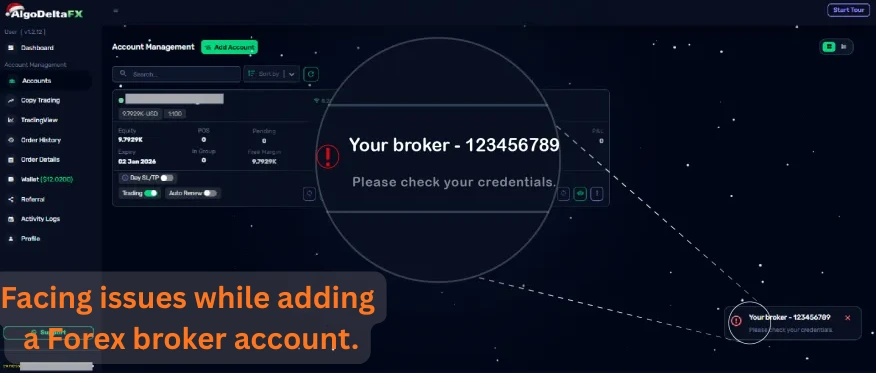
Step 1 : First, cross-verify that all account details are entered correctly before proceeding.
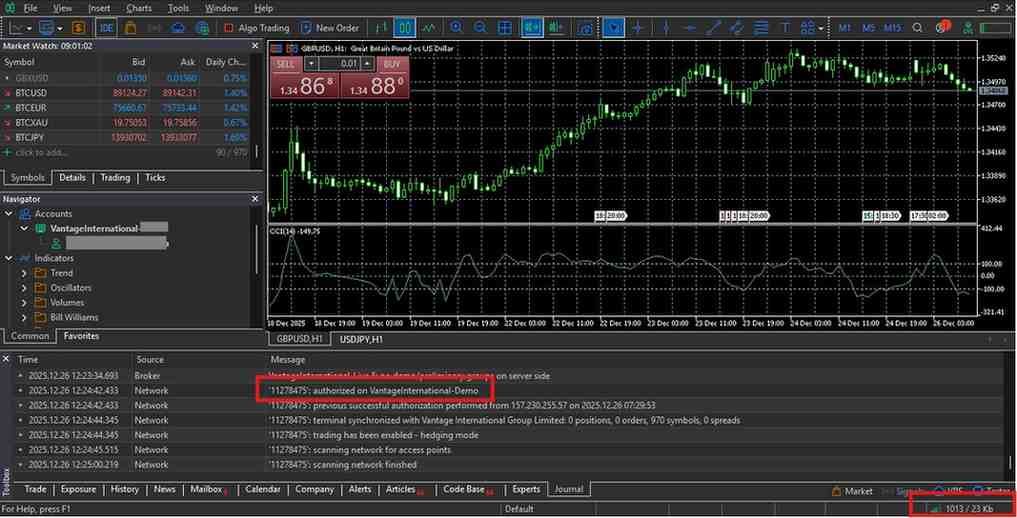
Step 2 : Log in to the MetaTrader 5 terminal provided by your broker to ensure all account details are correct.
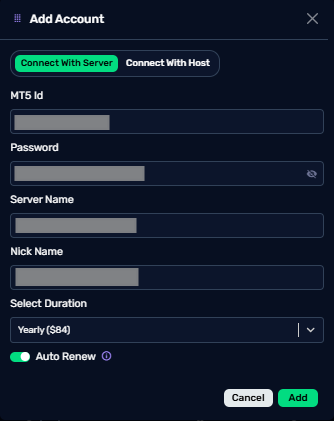
Step 3 : Then enter the same verified account details in the AlgoDeltaFX forex copy trading software.
If you’re still unable to log in after completing all the above steps, try connecting your account using the host and port method.
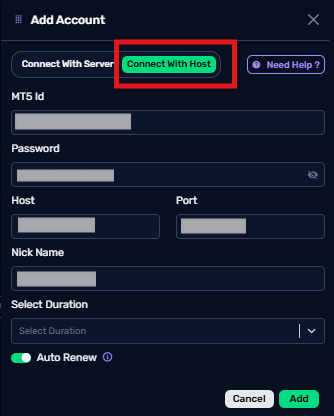
While using the host and port method, you only need the MT5 login ID, password, host, and port; the server name is not required.
How to Find MT5 Host and Port for Forex Copy Trading Account Setup
For Windows users:
- First, log in to your broker’s MetaTrader 5 (MT5) terminal.
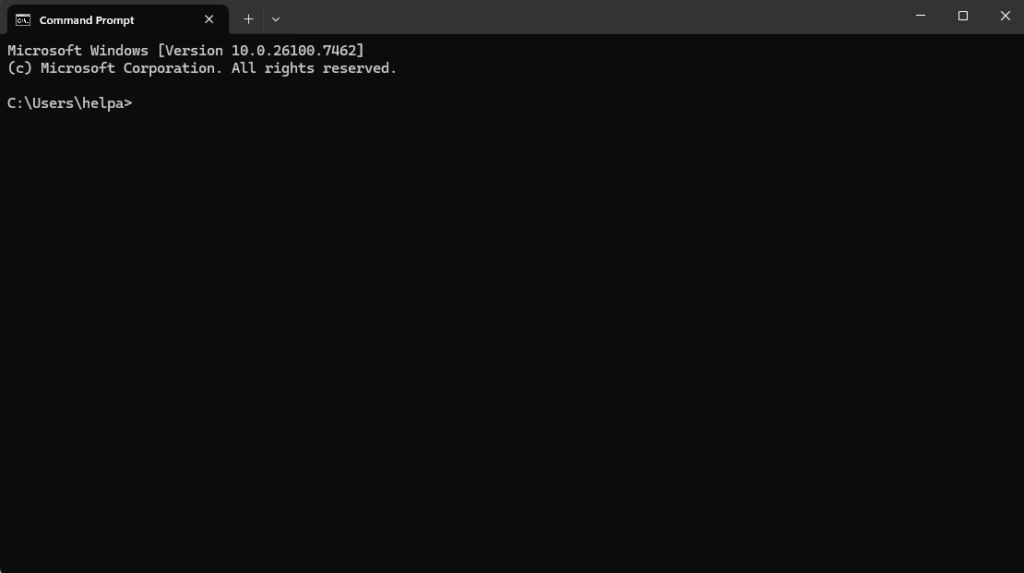
- Next, open the Command Prompt using the shortcut Win + R on your Windows system.
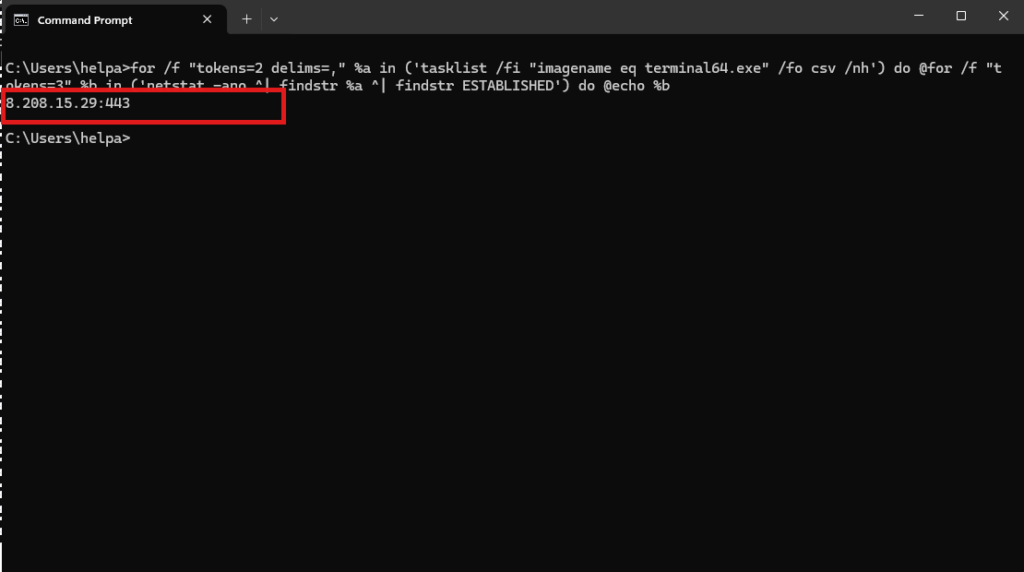
- Then you need to enter this script :
for /f “tokens=2 delims=,” %a in (‘tasklist /fi “imagename eq terminal64.exe” /fo csv /nh’) do @for /f “tokens=3” %b in (‘netstat -ano ^| findstr %a ^| findstr ESTABLISHED’) do @echo %b ✅ Copied!
After completing these steps, you will be able to see your MT5 host and port details.
For IOS/MacOS users:
- First, log in to your broker’s MetaTrader 5 (MT5) terminal.
- Next, open the Terminal on your system by pressing Cmd + Space and typing “Terminal.”
- Then you need to enter this script :
sudo lsof -nP -iTCP -sTCP:ESTABLISHED | egrep -i ‘metatrade|wine’ | awk ‘{print $9}’ | sed -E ‘s/.*->([0-9.]+):([0-9]+)/IP = \1 and PORT = \2/’ ✅ Copied!
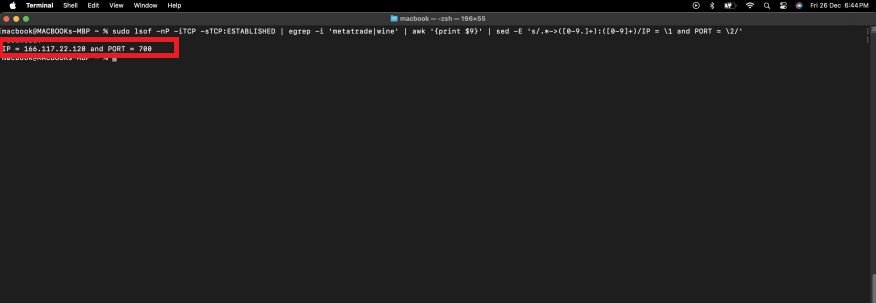
After completing these steps, you will be able to view your MT5 host and port details on your Apple MacBook.
If you still have any queries, you can directly contact us via WhatsApp, Botim, Telegram, or call us at 95376 74727.